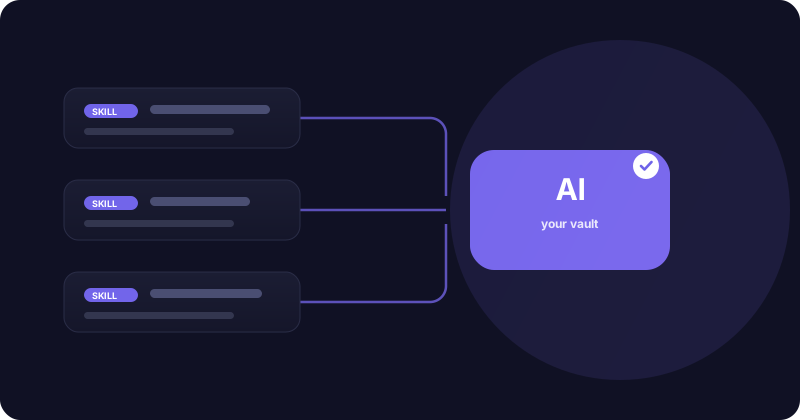
A prompt tells an AI what to do once. A skill teaches it a repeatable capability it can load whenever the moment calls for it. If you keep re-explaining the same procedure to your AI, that procedure wants to be a skill. Here's how skills work on PromptVan, why it's a great place to keep them, and what else you get alongside.
What a skill is
On PromptVan a skill is a small bundle built around a SKILL.md file: a name, a one-line description of when to use it, and the instructions themselves. The description matters as much as the body, because it's what lets your AI decide, on its own, that this skill is the right tool for the task in front of it.
Skills can be as simple as "rewrite text in our brand voice" or as involved as a multi-step procedure with its own helper scripts. Either way, once a skill is in your vault, your AI can reach for it without you pasting anything.
Why PromptVan is a great home for skills
- Free, public pages. Publish a skill publicly at no cost and it gets its own page anyone can read, copy, or link to. Your best work is discoverable instead of buried in a folder.
- Versioning that never loses history. Edit a skill and it lands as a new version (v2, v3, and so on), with every earlier version kept and a rollback always available. You iterate fearlessly.
- It plugs into your AI. Activate a skill in your vault and your AI uses it through the CLI and MCP server. The vault is your active context: what you turn on is exactly what your AI sees.
- Safety-checked. Skills that carry scripts are scanned and rated, so a high-risk skill can't quietly be published to everyone.
- Shareable and forkable. Found a skill that is close but not quite yours? Fork it, adjust it, and make it your own.
Push skills from your own tools
You don't have to leave your editor. Through the PromptVan CLI and MCP server you can push a skill straight from where you work. The MCP push_skill tool now updates an existing skill in place too: run it again with the same name and the change saves as a new version rather than failing, so your library stays current without a trip to the website.
For skills that ship helper scripts, keep them in a scripts/ folder and the CLI uploads them alongside the SKILL.md, so the whole capability travels together.
What else you get
Skills are one piece. PromptVan is a professional network for AI practitioners, so around your skills you also get:
- A prompt library. Reusable, versioned, categorized prompts. New to the idea? Start with what a prompt library is and how to build one.
- Agents and pipelines. Compose prompts and skills into agents you can run, and chain steps into pipelines, with run history and cost in one place.
- The vault as active context. One toggle decides what your AI sees right now. "Today I'm coding" means you switch on your coding set, and your AI gets exactly that.
- A profile that is a portfolio. Your prompts, skills, agents, and activity live on a profile you can point people to. For how to make that work for you, see where to share your AI prompts.
- Discovery. A feed and category hubs so people find your work by topic, not only by knowing your name.
- CLI and MCP everywhere. Pull, push, and run any of it from your terminal or AI IDE, so your library is part of your real workflow instead of a separate archive.
Start with one skill
Pick the procedure you explain to your AI most often and turn it into a skill. Give it a clear description of when to use it, publish it, and activate it in your vault. Browse the public prompt library and skills to see how good ones are written, then add yours. Package a capability once, and use it everywhere.